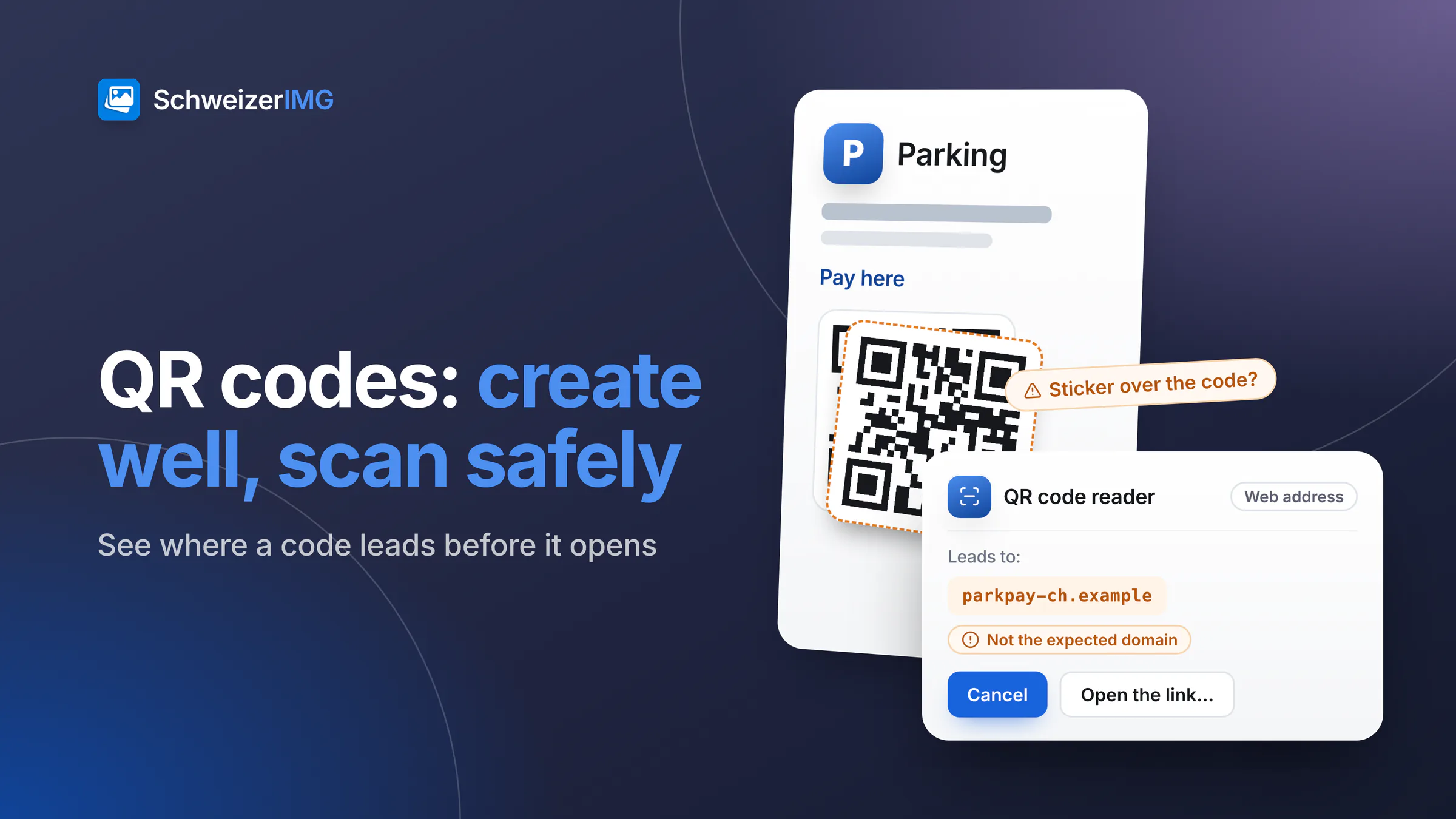
A QR code is a printed link that nobody can read with their own eyes. That is what makes it convenient — and what makes it attractive for fraud. For a business, QR code safety has two sides: creating codes that scan reliably and lead exactly where you intend, and checking codes from others before you open what they contain.
The short answer: create static codes that point to a page you control, test them before printing, and check your printed codes from time to time for stickers placed over them. Before you open a code you did not make yourself, look at where it leads — QR code reader shows the content as text and never opens a link on its own.
How a QR code works, in brief
A QR code is a grid of dark and light squares called modules. The three large squares in the corners tell a scanner where the code is and how it is rotated. Around the grid there must be a margin of plain background, the quiet zone — the standard asks for four modules. The more text a code holds, the more modules it needs, and the smaller each module becomes at the same printed size.
Part of every code is error correction: redundant data that lets a scanner read the code even when a share of it is dirty, creased or covered. QR code generator offers the four levels of the standard:
| Level | Share that can be damaged | When it fits |
|---|---|---|
| Low (L) | about 7 % | Short-lived codes on screens, or very long content that should stay small |
| Medium (M) | about 15 % | The default — a good balance for flyers and business cards |
| Quartile (Q) | about 25 % | Codes outdoors, on packaging or on surfaces that get handled |
| High (H) | about 30 % | Codes with a logo in the centre; the tool switches to this level automatically when you add one |
What a QR code can contain
A code holds text, and phones interpret some kinds of text as actions. QR code generator creates codes for:
- Web address — the most common case: a menu, an opening-hours page, a booking form.
- Wi-Fi network — name, security type and password, so guests can join without typing. Keep in mind that the password is stored in the code as plain text: anyone who photographs the sign can read it. A separate guest network is the safer choice.
- Contact (vCard) — name, company, phone, e-mail, address; ideal for a business card.
- E-mail, SMS and phone number — a prepared message or a call, which the phone usually asks the person to confirm.
- Place (coordinates) — a location that opens in a map app, useful for a hard-to-find entrance.
The content is written directly into the code. Whoever scans it sees exactly what you entered — which is why codes should never hold anything you would not print on the poster in plain words.
Static or “dynamic” QR codes: what is the difference?
A static code contains the final destination itself, for example https://example.ch/menu. So-called dynamic codes contain the address of a redirect service instead, which forwards each scan to a destination you can change later. That flexibility has a price:
| Static code | Code via a redirect service | |
|---|---|---|
| Destination can change after printing | Only if the page behind your own address changes | Yes, in the service's settings |
| Who sees each scan | Only the website the code leads to | The redirect service as well — time, device, often the approximate location |
| If the service ends or the subscription lapses | Not affected | The printed code stops working or leads elsewhere |
| What the person sees before opening | Your own domain | The service's domain, which tells them little |
QR code generator creates static codes: the address you type is the address in the code, and no service sits in between. You get most of the flexibility anyway if the code points to a stable page on your own website — say example.ch/menu — whose content you update. The step-by-step guide for flyers and posters shows this in practice.
Swiss QR-bill
The QR code on a Swiss QR-bill is a regulated payment format with its own rules for content, size and the Swiss cross in the centre. It is not a general-purpose QR code, and QR code generator is not meant for creating QR-bills — use the invoicing function of your accounting software or your bank.
Designing a QR code that scans: contrast, quiet zone, size
- Dark on light. Many scanners read only dark codes on a light background. A brand colour works if it is dark enough; QR code generator warns when the contrast is low or the colours are inverted.
- Keep the quiet zone. Four modules of plain background around the code — no text, no picture, no edge of the paper cutting into it. The tool warns when the margin is smaller.
- Size for the distance. A common rule of thumb is a code width of about a tenth of the scanning distance: around 2 cm on a business card, much more on a poster seen from a few metres.
- A logo, if any, in moderation. The generator raises error correction to High for a logo and shrinks the logo if the code would not read otherwise.
- Test it. After creating a code the tool reads its own result back and shows whether it decodes to exactly your text. Still try it with a few different phones before you print.
Quishing: how QR code phishing works
Quishing combines QR code and phishing: a code leads to a fake page that asks for card details, a login or a payment. The Swiss Federal Office for Cybersecurity (BACS) describes the pattern in its warning Beware when scanning QR codes: fraudsters print their own codes and stick them over genuine ones, for example on parking meters, posters and in restaurants.
- A sticker over the real code — a parking payment or a menu link that suddenly leads to a look-alike page.
- Letters and e-mails with a code — a supposed delivery notice, an account check or an “urgent” update, often with time pressure.
- A “Wi-Fi” code that is not one — it opens a website asking you to register or pay instead of joining a network.
- A familiar name in a strange address — a domain that looks like a known one, with an extra word or letters from another alphabet.
For your own business this means: look at your printed codes regularly, especially in public places, and tell customers what your code does (“Menu on example.ch”). If you find a sticker over your code, remove it and warn the people who may have scanned it.
How to check a QR code before you open it
- 1
Capture the code without opening it
Take a photo or a screenshot of the code instead of following it straight from the camera.
- 2
Read it in QR code reader
Add the image. The tool finds the codes in it and shows each content as text: the web address, the Wi-Fi network, the contact. Links are never opened automatically.
- 3
Look at where the link leads
Before anything opens, the tool shows the full host name. It flags international names whose letters could imitate a familiar one, and it does not offer to open links that begin with a user name disguised as a site name.
- 4
Decide, then act
If the domain is not the one you expect, do not open it. Never enter a login or card details on a page you reached through a QR code; go to the provider's website by typing its address yourself.
The image is read in your browser and is not uploaded — the server receives only which tool ran, never the image or the code's content. How this works is described on the security page and in where your images are processed.
Frequently asked questions
Can a QR code itself contain a virus?
A QR code contains only text. The risk lies in what that text makes the phone do: open a page, prepare a message, join a network.
Do QR codes expire?
A static code does not expire — it works as long as its destination exists. Codes that go through a redirect service can stop working when the service or the subscription ends.
Is a Wi-Fi QR code safe for guests?
It is convenient, but the password in it can be read by anyone who scans or photographs the code. Use it for a separate guest network, not for the network your till or office computers use.
How can I tell whether a sticker covers our code?
Look and feel: a raised edge, a slightly different colour or a code that is not aligned with the print. Then scan it and compare the domain with your own address.
Both QR tools are among the utilities; which plans include QR code generator and QR code reader is shown on the pricing page. Restaurants and hotels will find more on menus and guest Wi-Fi in image tools for hospitality. Ready to make your first code? Create a free account.
General information
This page is general information and marketing content, not legal or security advice. It simplifies the guidance of the Federal Office for Cybersecurity (BACS) and does not describe the rules of the Swiss QR-bill. If you suspect fraud, contact your bank or card issuer and the cantonal police; for decisions about your own situation, please consult a qualified professional.