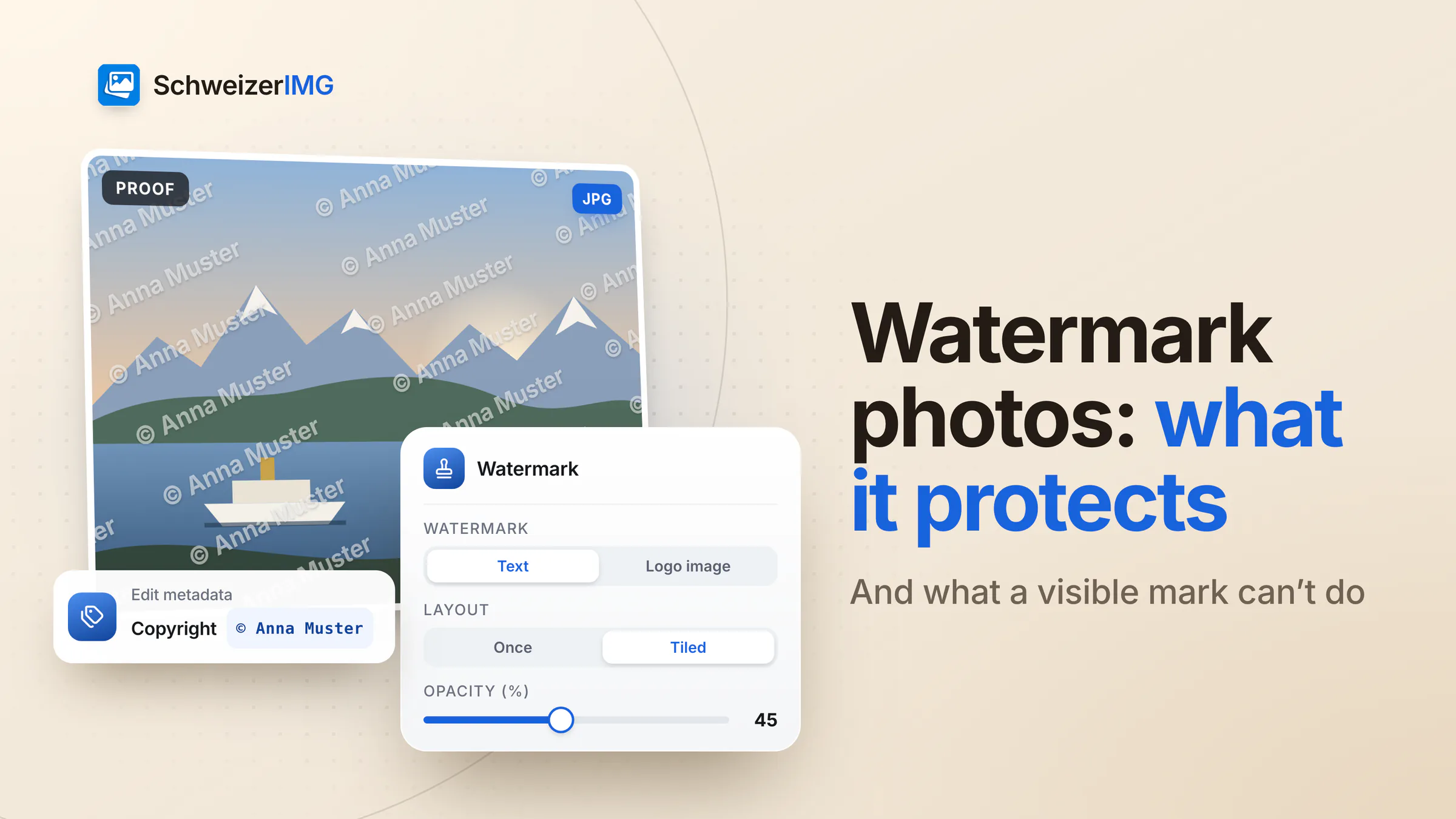
When you watermark photos, you put a visible name, logo or notice on the picture. That does three jobs well: it shows who took or owns the image, it makes casual reuse less attractive, and it marks drafts and client proofs as not final. What it cannot do is stop copying — a mark in a corner is cropped off in seconds, and one over an even background can often be retouched away.
A watermark is also not what gives you rights. In Switzerland, a photo is protected by copyright from the moment it is taken, with or without a mark. This article explains what a watermark achieves, where Swiss copyright starts, how to place a mark that holds up, and how to add your name and copyright notice to the file's metadata as well.
What a watermark on photos does well
- Attribution — your name travels with the picture, even when it is passed on without its caption or credit line.
- Deterrence — a visible mark makes reuse less attractive, especially commercial reuse, where someone else's name in the picture is unwelcome.
- Marking drafts and proofs — “Proof” or “Muster AG – for review” across a selection makes clear that the client has not received the final images yet.
- Consistency — the same logo in the same place across a series of social media posts or the preview images of a press kit.
What a watermark cannot do
- Stop copying — anyone who can see a photo can save it or take a screenshot.
- Survive cropping — a small mark in a corner disappears with one cut.
- Resist retouching — a mark over sky, a wall or another even area can often be painted out. Tiled marks over detail are much harder to remove, and they also spoil the picture for everyone else.
- Create rights — copyright protection does not depend on a mark (see the next section).
- Track where an image ends up — a visible mark is a label, not a tracking code.
So think of a watermark as a label and a deterrent, not a lock. For pictures that must not circulate at all, the dependable choice is not to publish the full-resolution version in the first place.
Do you need a watermark for copyright in Switzerland?
No. Under the Swiss Copyright Act (CopA / URG), a work is protected as soon as it is created, whether or not it has been fixed on a medium (Art. 29 para. 1). No registration and no copyright notice is required. For photographs, the Act distinguishes two cases:
- Photos with individual character are works in the usual sense (Art. 2 para. 1). Their protection generally expires 70 years after the author's death (Art. 29 para. 2 lit. b).
- Photos without individual character — many everyday snapshots, for example — have also been considered works since 1 April 2020 (Art. 2 para. 3bis). Their protection expires 50 years after the photo was produced (Art. 29 para. 2 lit. abis).
A visible name still has a role. Until proven otherwise, the person named on the copies of a work — by name, pseudonym or distinctive sign — is presumed to be its author (Art. 8). The Act also protects electronic rights-management information, such as information that identifies a work or its terms of use, against removal or alteration (Art. 39c). How these rules apply to a specific picture is a question for a legal professional.
Watermark options in SchweizerIMG
Watermark places a text or a logo on every image of a run, sized relative to each image and positioned the same way, so a mixed batch of portrait and landscape photos looks consistent. These are its settings:
| Setting | What it does |
|---|---|
| Text or logo image | A text you type, or a logo file (PNG, SVG, JPG, WebP…) — a PNG or SVG with transparency works best |
| Font, weight, italic, colour | Six bundled fonts, regular or bold, in any colour |
| Size | A percentage of the image width, its shorter side or its longer side |
| Position | Nine anchor points, moved by an offset and kept at a distance from the edges |
| Layout | Once, or tiled across the image with a spacing and a row direction |
| Opacity, rotation, blend mode | How strongly the mark shows, its angle, and how it mixes with the photo (normal, multiply, screen, overlay) |
| Outline and shadow | Keep the mark legible on both light and dark parts of a photo |
| Save as, metadata | The output format and quality, and which metadata the result keeps |
However many images a run holds within your plan's files per run, it counts as one operation — see process many images at once. Watermark is one of the editing tools.
The photos you watermark are often the ones that are not public yet: a wedding series before delivery, a product shoot before launch, a client selection for review. SchweizerIMG processes them in your browser; they are never sent to or stored by us, and per run the server receives only the tool and the outcome. Details are on the security page; workflows for photographers and communication teams are on image tools for media and communications.
How to watermark photos so the mark holds up
- For attribution, a small mark in a corner with some distance from the edge: readable, not dominant. Accept that it can be cropped.
- For proofs, tile the mark across the image with a rotation and a reduced opacity. The client can judge the picture, but cannot use it as a final.
- Over detail, not over even areas — a mark across foliage or a façade is harder to retouch than one over a clear sky.
- Size by the shorter side when a batch mixes portrait and landscape, so the mark looks the same on both.
- Add an outline or a shadow when the background changes from light to dark across a series.
- Keep unmarked originals. SchweizerIMG doesn't store results, so download the marked versions and keep the originals separately.
- Stay subtle on product photos — many shops present clean images, as described in preparing product photos for your online shop.
- 1
Open Watermark and add the photos
Add the whole series at once; the same settings apply to every image, relative to its size.
- 2
Choose text or logo
For example “© Anna Muster Fotografie”, or your logo as a PNG with a transparent background.
- 3
Set size, position and layout
A corner for attribution, tiled for proofs. Adjust opacity and, if needed, an outline or a shadow.
- 4
Check the metadata setting
The default, Keep, without location and device details, keeps author and copyright fields and removes location and device data.
- 5
Download and check at full size
Look at a light and a dark photo of the series: the mark should be readable on both, and nothing important should be covered.
Add your name and copyright to the metadata too
A visible mark can be cropped; metadata can be stripped — together they cover more. Edit metadata writes Creators and Copyright into the file without changing any pixels, so run it last: after Watermark, and after Blur or pixelate (which removes metadata by default) or Remove metadata with “Everything that isn't needed to show the image”. Which fields it fills, and how to keep them while the location goes, is explained step by step in adding copyright to photo metadata.
What the different metadata fields contain is explained in what your photos reveal and in remove location and camera data. Which plans include Edit metadata is shown on the pricing page.
Frequently asked questions
Does a watermark prove that I took the photo?
Not on its own — anyone can add a name to a picture. It names you as the presumed author until proven otherwise. Your unedited originals, ideally with their camera metadata, are stronger evidence, so keep them.
Can a watermark be removed?
Often, with some effort: by cropping, or by retouching over even areas. Tiled marks over detail are the hardest to remove. Either way, the photo itself remains protected by copyright.
Should I watermark product photos for my online shop?
Usually only subtly, if at all. Shoppers expect clean pictures, and some marketplaces do not accept watermarked images; check the rules of the platform you sell on.
Does adding a watermark reduce image quality?
Watermark saves the image again in the format you choose. For JPG and other lossy formats that is one more compression step, which is rarely visible at the automatic quality; PNG stays lossless.
To mark a series of photos on your own device, create an account.
General information
This page is general information and marketing content, not legal advice. It simplifies the Swiss Copyright Act (CopA / URG) — when photos are protected, for how long, and the presumption of authorship; whether a specific photo is protected or a use is permitted depends on the circumstances. For a decision about your own situation, please consult a qualified professional.